
Key Points
- AR training overlays digital content onto a learner’s real environment rather than replacing it.
- The three main types are marker-based, markerless, and projection-based AR, each suited to different environments.
- AR performs well for maintenance and technical skills, physical onboarding, and safety compliance.
- AR represents the right choice when the task takes place in the real world, and the learner needs visual guidance on the spot.
Effective corporate training reaches employees in the exact environment where they work, precisely when they need it. In this model, instruction comes directly to them, layered into the physical space where the task takes place. That immediate, contextual delivery is exactly what augmented reality training is built to do.
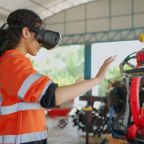
AR training uses a phone, tablet, or smart glasses to layer interactive digital content directly over a learner’s real surroundings. Instructions appear floating above real equipment, digital diagrams overlay real mechanical components, and checklists update as physical steps are completed, all without the learner ever leaving the floor, the field, or the facility.
Table of Contents
How AR Training Works
A camera-equipped device captures the real environment. The software recognizes specific objects, flat surfaces, or spatial markers within that camera feed and firmly anchors digital content to them. The learner sees both the real world and the overlaid digital instruction simultaneously through the same screen or lens.
What makes AR training effective is the timing of delivery rather than the technology itself. Delivering instruction at the exact moment a task is being performed ensures learners retain it far better than when instruction is delivered hours or days earlier in a classroom. The gap between learning a concept and physically practicing it is exactly where most traditional training falls apart, and AR eliminates it.
The Main Types of AR Training
Marker-based AR
Marker-based AR triggers digital overlays when the device detects a specific visual marker, such as a QR code or a label taped to equipment. It is precise, predictable, and well-suited to structured environments where learners work consistently with the same equipment in the same location.
Markerless AR
Markerless AR uses the device’s camera and spatial mapping to understand the surrounding environment and anchor digital content within it. This approach is far more flexible and the better choice for mobile workforces, field technicians, and any setting where the physical environment is uncontrolled or inconsistent.
Projection-based AR
Projection-based AR projects digital content directly onto physical surfaces rather than displaying it through a device screen. Less common in corporate training, it has compelling applications in high-precision work, including surgical procedure training and high-tolerance manufacturing assembly.
The Business Case for AR Training
Employees who follow live, step-by-step visual guidance anchored to the actual equipment they are working on make significantly fewer mistakes than those forced to recall a procedure from memory. In heavy maintenance, manufacturing, and remote field service, that reduction in error rates directly impacts output quality, equipment lifespan, and safety incident rates.
New employees who can navigate a physical environment and follow complex procedures with real-time AR guidance on day one become independent far faster. They no longer have to wait for a scheduled training session or shadow a senior colleague who needs to focus on their own work.
Once you build an AR module, deploying that content to thousands of additional learners costs almost nothing. When a procedure changes, the administrator updates it in the content management system, and it is automatically pushed to every device. There is no need to schedule a retraining cohort, reprint a manual, or brief an instructor.
AR vs. VR: Where Each One Belongs
The clearest way to think about the difference is whether the real environment is an essential part of the training or an obstacle to it.
- Use AR when the task takes place in the real world, and the learner needs to remain in it. The real environment is the vital physical context on which the training depends.
- Use VR when the real environment needs to be replaced because it is inaccessible, too dangerous, or too variable to train in reliably.
See our AR vs. VR training comparison for a full breakdown, and review our case studies to see how that split plays out in practice.
How Roundtable Learning Approaches AR Training
AR programs that work are built to solve a specific operational problem rather than to demonstrate software features. Roundtable Learning starts every project with a rigorous training needs analysis that confirms AR is the right tool, identifies the specific tasks the content needs to support, and clearly defines what measurable improvement looks like before anything gets built.
Explore our AR training solutions to see how we design these programs for enterprise deployment.
Thinking About AR Training for Your Organization?
If you are new to augmented reality or ready to scale a pilot, Roundtable Learning can help you build a program that fits how your workforce actually operates.
Get in touch with our team to start the conversation.