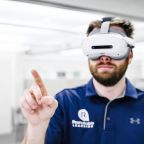
Yes, you can wear a VR headset with glasses, and modern standalone devices are built to accommodate most frames. Because roughly 64% of adults wear prescription eyewear, making virtual reality training comfortable and clear for glasses wearers is essential for any corporate rollout. By adjusting head straps, using built-in glasses spacers, aligning interpupillary distance (IPD), or adding clip-in prescription lenses, L&D teams can prevent lens scratches, reduce eye strain, and keep every learner focused on the simulation.
Key Points
- Most standalone enterprise headsets – including Meta Quest and HTC Vive models – include built-in eye-relief adjustments or glasses spacers.
- Loosening straps before putting the headset on and leaving proper lens clearance prevents facial pressure and frame pinching.
- Keeping a small gap between eyeglasses and VR optics protects both surfaces from permanent scratches while maintaining a crisp display.
- Learners with oversized frames or severe eye fatigue can complete the same training through mobile 360-degree or desktop modules.
Virtual reality (VR) training needs to be accessible, safe, and comfortable for every learner to complete, especially for those who wear glasses.
Learners can wear a standard VR headset with glasses on, but they may face challenges with comfort and clarity. Luckily, there are strategies to overcome these hurdles to ensure their VR experience is conducive to learning:
-
- Take extra time to adjust the headset straps
-
- Consider buying spacers that provide more depth
With roughly 64% of adults wearing glasses, it’s likely that a large portion of your workforce will wear glasses when completing VR training. While learners can wear their glasses with a VR headset on, there may be added challenges.
If you’re planning on implementing a virtual reality (VR) training program at your organization, you’ll want to ensure that every learner can comfortably complete activities, even those who wear glasses.
At Roundtable Learning, our expert team, many of whom wear glasses themselves, have generated a list of tips for learners who must wear glasses with a standard VR headset. Through our experience working with clients across the globe, we’ve found ways to overcome potential issues learners who wear glasses may face.
This article will explore how to wear glasses with a VR headset, provide tips for comfort while wearing a VR headset, and discuss strategies for creating a clear view of the virtual environment.
Can People With Glasses Use VR Headsets?
Yes – people with glasses can use VR headsets safely and effectively without switching to contact lenses. Modern enterprise headsets are engineered with deeper facial interfaces and adjustable eye-relief settings so standard prescription frames fit comfortably inside the visor.
If an employee needs glasses to see objects clearly across a room in real life, they will also need them inside a virtual reality training module. Even though the display sits close to the face, VR optics project a focal plane several feet away. Ensuring a seamless experience comes down to solving two practical challenges: physical comfort and visual clarity.
Importance Of Comfort When Wearing A Virtual Reality Headset
Comfort is critical when learning, especially with VR technology. A VR training program offers an immersive experience that many learners may not have experienced before. By putting on a headset, learners with glasses on may feel burdened by the hardware. Learners may experience any of the following feelings of discomfort with a VR headset:
-
- Extra pressure on a learner’s face
-
- Heavy weight of the headset on their head
-
- Disorientation from having their senses cut off from real life
-
- Eye strain due to the bright light in the program
A main area of concern that could cause discomfort stems from the width of the learner’s glasses. Different headsets have different clearances, which indicates the amount of space between the lenses on the headset and lenses on the glasses of the learner.
The wider the frames of the glasses, the more likely they are to rub against the headset. Learners with bigger and thicker plastic frames will have problems with the fit and comfort of their headset. Luckily, we have a few tips to resolve this comfort issue.
Read More: Which Headset Is Right For Your VR Training?
How To Comfortably Wear A Virtual Reality Headset
-
- Take extra time to adjust the headset straps — Before putting on their headset, learners should take extra time to adjust their headset straps and make sure it comfortably rests on their face.
-
- Consider buying spacers that provide more depth — With a spacer, learners simply take out the inner cushion in the headset and replace it with a plastic spacer that creates more depth. Most headsets actually come with a spacer to make extra room for a learner’s glasses.
-
- Use clip-in insert lenses — These lenses are typically under $200 and simply snap into place inside the VR headset. With clip-in lenses, learners eliminate the possibility of scratching the headset lenses or the lenses on their glasses.
Clarity Of Images Within The Virtual Environment
As with any learning experience, learners must be able to clearly see the details within the VR activity (e.g. selection options, directions). If not, they won’t be able to complete the activity and the blurriness will only distract them from their learning.
The quality of a VR experience is affected by the resolution level and pixel count it was developed in. Most VR experiences are developed at 8k resolution for both eyes, so the quality of the program itself is high. Blurriness within the VR experience typically stem from issues related to the placement, cleanliness, and alignment of a learner’s glasses.
Read More: How To Overcome VR Training Safety Problems: 6 Solutions
How Do You Get a Clear View When Using VR With Glasses?
To get a crisp, blur-free view when using VR with glasses, clean both sets of lenses properly, center your frames on your nose, align the headset’s interpupillary distance (IPD), and maintain a small protective gap between the lenses. Modern corporate VR modules are rendered at high resolution, so blurriness is almost always caused by smudges or optical misalignment rather than the software itself.
- Clean your eyeglasses with a microfiber cloth: Oils and smudges on your prescription lenses become noticeably magnified inside a dark headset.
- Wipe the VR headset lenses gently: Use a dry optical microfiber cloth on the VR lenses – never liquid alcohol sprays, which can strip anti-reflective coatings. When cleaning shared devices between shifts, follow our guide on how to sanitize VR equipment the right way for facial interfaces and straps.
- Seat your glasses evenly on your face: Make sure your frames are not tilted or sliding down your nose before placing the headset over them.
- Keep a small gap between glasses and VR optics: Your eyeglasses should align squarely with the headset lenses without touching them. Direct glass-on-glass contact scratches both surfaces and causes distortion.
- Adjust the headset’s IPD setting: Use the headset’s IPD wheel or slider to match the spacing between the VR lenses to the distance between your pupils. Proper IPD alignment sharpens text immediately and reduces eye fatigue.
Building these checks into your pre-session facilitation checklist also reinforces broader VR training safety practices across your organization.
What Are the Best Alternatives If a Learner Cannot Wear Glasses in VR?
When a learner’s frames do not fit comfortably – or when wearing a headset triggers eye strain – offering multi-modal access ensures nobody is excluded from completing training. Prioritizing accessibility in VR training means giving employees practical alternatives to standard VR headsets:
- Desktop browser version: Learners complete the same interactive training scenarios on a standard monitor using a mouse and keyboard, wearing their glasses normally with zero facial pressure.
- Mobile 360-degree mode: Employees navigate 360-degree environments on a smartphone or tablet screen without putting any hardware over their eyes.
- Third-party cardboard viewers (limited cases): Although Google discontinued its branded Google Cardboard viewer in 2021, third-party cardboard headsets ($7-$12) still exist for brief 360-degree viewing. Note that narrow cardboard cutouts often feel tight over wide glasses, making desktop or mobile viewing the more comfortable backup.
Experience Virtual Reality Training Comfortably Today!
We’ve covered all there is to know about wearing glasses with a VR headset on. Not only is it important for learners to be comfortable with the fit of their headset, it’s also critical that their training is presented clearly.
Are you ready to start designing your custom VR training program? Schedule a meeting with one of our experts today or check out more of our resources on everything VR training.
Do VR headsets work with bifocals or progressive lenses?
Will wearing glasses scratch my VR headset lenses?
Should nearsighted learners wear their glasses in VR?
Are contact lenses better than glasses for VR training?